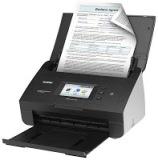
Brother ImageCenter™ ADS 2500W Driver

Kamis, 06 Maret 2014

0 komentar
Free Download Driver Brother ImageCenter™ ADS-2500W
Compatibility and System Requirements :
Windows 8
Windows 8 (x64)
Windows 7
Windows 7 (x64)
Windows Vista
Windows Vista (x64)
Windows XP

- File name : ADS-2500W-inst-D1-USEU.EXE
- File Size : 60.30MB
- Version : D1
- Release Date : 12/10/2012

How to install the drivers Printer for Windows :
1. Download the printer driver, for the download link see below
2. Make sure the printer usb cable unplugged from laptop or computer
3. Open the file has been downloaded, double click on the file
4. Follow the instructions that appear during installation
5. When finished plugged usb cable and wait detecting hardware
6. When done doing test print
7. If test print is not a problem, then we have succeeded driver installation

Download Brother ImageCenter™ ADS-2500W Driver
Source Direct Link


Read More..

cli8 pgi5 resetter canon

Rabu, 05 Maret 2014

0 komentar
Read More..

Cara Reset Epson L800

Selasa, 04 Maret 2014

0 komentar

Cara dan Download Resetter Epson L800
Nyalakan Printer Epson L800 yg minta reset.
Pastikan driver L800 sudah terinstall sebelumnya.
Download Software Resetter Epson L800 disini

Extract Resetter L800 hasil download, kemudian jalankan dengan dobel klik file "AdjProg.exe". Kemudian Klik Accept => Particular Adjustment mode => Waste Ink Pad Counter => OK => Check (untuk mengetahui mainpad counter / platten pad counter) => Centang Main Pad Counter dan Platten Pad Counter => Initialization => Finish. Untuk lebih mudahnya Ikuti Cara Resetter Epson L800 ini dari gambar berikut :

Demikian Cara dan Download Resetter Epson L800, Semoga bermanfaat

Read More..

Privacy Policy for Driver Reseter

0 komentar

 If you require any more information or have any questions about our privacy policy, please feel free to contact us by email at


At http://bralingkomputer.blogspot.com we consider the privacy of our visitors to be extremely important. This privacy policy document describes in detail the types of personal information is collected and recorded by http://bralingkomputer.blogspot.com and how we use it.
Log Files
Like many other Web sites, http://bralingkomputer.blogspot.com makes use of log files. These files merely logs visitors to the site - usually a standard procedure for hosting companies and a part of hosting servicess analytics. The information inside the log files includes internet protocol (IP) addresses, browser type, Internet Service Provider (ISP), date/time stamp, referring/exit pages, and possibly the number of clicks. This information is used to analyze trends, administer the site, track users movement around the site, and gather demographic information. IP addresses, and other such information are not linked to any information that is personally identifiable.
Cookies and Web Beacons
http://bralingkomputer.blogspot.com uses cookies to store information about visitors preferences, to record user-specific information on which pages the site visitor accesses or visits, and to personalize or customize our web page content based upon visitors browser type or other information that the visitor sends via their browser.
DoubleClick DART Cookie
→ Google, as a third party vendor, uses cookies to serve ads on http://bralingkomputer.blogspot.com.
→ Googles use of the DART cookie enables it to serve ads to our sites visitors based upon their visit to http://bralingkomputer.blogspot.com and other sites on the Internet.
→ Users may opt out of the use of the DART cookie by visiting the Google ad and content network privacy policy at the following URL - http://www.google.com/privacy_ads.html
Our Advertising Partners
Some of our advertising partners may use cookies and web beacons on our site. Our advertising partners include .......

  • Google
  • Chitika
  • Other
While each of these advertising partners has their own Privacy Policy for their site, an updated and hyperlinked resource is maintained here: Privacy Policies.
You may consult this listing to find the privacy policy for each of the advertising partners of http://bralingkomputer.blogspot.com.

These third-party ad servers or ad networks use technology in their respective advertisements and links that appear on http://bralingkomputer.blogspot.com and which are sent directly to your browser. They automatically receive your IP address when this occurs. Other technologies (such as cookies, JavaScript, or Web Beacons) may also be used by our sites third-party ad networks to measure the effectiveness of their advertising campaigns and/or to personalize the advertising content that you see on the site.
http://bralingkomputer.blogspot.com has no access to or control over these cookies that are used by third-party advertisers.
Third Party Privacy Policies
You should consult the respective privacy policies of these third-party ad servers for more detailed information on their practices as well as for instructions about how to opt-out of certain practices. http://bralingkomputer.blogspot.coms privacy policy does not apply to, and we cannot control the activities of, such other advertisers or web sites. You may find a comprehensive listing of these privacy policies and their links here: Privacy Policy Links.
If you wish to disable cookies, you may do so through your individual browser options. More detailed information about cookie management with specific web browsers can be found at the browsers respective websites. What Are Cookies?
Childrens Information
We believe it is important to provide added protection for children online. We encourage parents and guardians to spend time online with their children to observe, participate in and/or monitor and guide their online activity. http://bralingkomputer.blogspot.com does not knowingly collect any personally identifiable information from children under the age of 13. If a parent or guardian believes that http://bralingkomputer.blogspot.com has in its database the personally-identifiable information of a child under the age of 13, please contact us immediately (using the contact in the first paragraph) and we will use our best efforts to promptly remove such information from our records.
Online Privacy Policy Only
This privacy policy applies only to our online activities and is valid for visitors to our website and regarding information shared and/or collected there. This policy does not apply to any information collected offline or via channels other than this website.
Consent
By using our website, you hereby consent to our privacy policy and agree to its terms.
Update
This Privacy Policy was last updated on: Wednesday, December 19th, 2012.
Should we update, amend or make any changes to our privacy policy, those changes will be posted here.
Read More..

Epson WorkForce WF 7011 Drivers Download

Senin, 03 Maret 2014

0 komentar
Download Driver Printer Epson WorkForce WF-7011

Compatibility and system requirements :
Windows 8
Windows 7
WIndows Vista
Windows XP
all drivers Support 32bit and 64bit

link Download Driver Printer Epson WorkForce WF-7011
Link 32bit
Link 64bit

How to install for Windows :
1. Download the driver Epson WorkForce WF-7011 Printer, for link download see above
2. Make sure the printer usb cable unplugged from laptop or computer
3. Open the file has been downloaded, double click on the file
4. Follow the instructions that appear during installation
5. When finished plugged usb cable and wait detecting hardware
6. When done doing test print and scan test
7. If test print and scan test is not a problem, then we have succeeded driver installation
Read More..

Does the use of replacement compatible ink cartridges invalidate your printer warranty

Minggu, 02 Maret 2014

0 komentar
EU law with regards to recycling means that using compatible, refilled/recycled cartridges no longer invalidates your printer warranty.
In a 2007 Directive {2002/96/EC] on waste electrical and electronic equipment,  the act of circumventing EU recycling rules was outlawed, blocking manufacturers who design products with features such as chips that block recycling.  It was noted that such anti-reuse tactics that block future recycling have an environmental impact.
This EU ruling means that it is illegal for printer manufacturers to void your warranty purely due to the use of compatible cartridges.
Please see our range of  premium quality printer inks at http://www.printercartridges.net/ 
Read More..

HP Officejet Series 7210

Sabtu, 01 Maret 2014

0 komentar


just bought a 7210 off Ebay for 99 pence (ex £14 delivery) within the description was "Carriage Jam" message so I knew it was faulty. 20 mins of Googling and a 5 minute clean has it up and running.

It did not involve loosening a single screw.

Okay, heres what I did...

- Switch on the printer.

- Open the print cartridge lid.

- Pull the plug from the back of the machine to avoid risk of electric shock.

- Using a light cleaning solution on a lint-free cloth, carefully VERY CAREFULLY, wipe the position strip (on both sides, front and back), then dry it with a dry lint-free cloth. Now move the cartridge carriage to the left and clean and dry the remaining half of the position strip. If you bend this position strip, your printer is knackered.

- Gently move the carriage back to the right.

- Holding down the OK and CANCEL buttons, plug in the power lead to the back of the printer and press the POWER button.

- Wait until the message DERIV CLEAR (Deriv is right - Im not sure about clear now) appears then release the OK and CANCEL buttons.

- The printer should thrash about a little, the carriage will move back and forth and then it should tell you the cartridges need changing and you follow the instructions, pressing OK or selecting the language options.

- It will print an alignment page and then you should be good to go.

I am a comms technician, I poke, I tweak. I dont give up.

Good Luck to you!
Read More..

Copyright © 2010 Printer Resetter Centre | Powered By Blogger